

Without question, one of the finest system analysis applications I have encountered in ages. It is featherlight, blazing fast, and delivers precisely what it claims.
Discover Your PC's Inner Workings. Accurately.
An advanced system analysis platform designed for power users, technicians, and gamers. Observe heat metrics, examine detailed specifications, and track hardware health in real time.
Look Inside Your PC
Start with Speccy to uncover what powers your computer. Browse a quick overview or dig into each subsystem to guide your next upgrade or purchase with confidence.
Detailed Reports
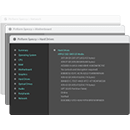
Speccy surfaces exhaustive details on every device in your setup. No more digging through hidden menus for processor, motherboard, memory, or graphics info. It all shows up in one clean interface.
Prevent Problems Early
Monitor real-time temperatures for critical components so you can spot issues before they cause hardware failure.
Save & Distribute Specs
Speccy allows you to save scan results directly as a snapshot, XML, or text file for easy sharing. Perfect for verifying a new system's configuration or sending details to a technician for troubleshooting.
Data Collection Methods
Safe read-only WMI queries and registry lookups Speccy uses to render system data.
Get-CimInstance Win32_Processor | Select-Object Name, NumberOfCores, NumberOfLogicalProcessors, MaxClockSpeed
Get-CimInstance Win32_PhysicalMemory | Select-Object Manufacturer, PartNumber, Capacity, Speed
Get-CimInstance Win32_VideoController | Select-Object Name, DriverVersion, AdapterRAM
Get-CimInstance Win32_DiskDrive | Select-Object Model, Size, FirmwareRevision
Get-CimInstance MSStorageDriver_FailurePredictStatus -Namespace root\wmi | Select-Object InstanceName, PredictFailure
HKLM\HARDWARE\DESCRIPTION\System\CentralProcessor\0
HKLM\SOFTWARE\Microsoft\Windows NT\CurrentVersion
HKLM\SYSTEM\CurrentControlSet\Control\ComputerName\ComputerName
HKLM\SOFTWARE\Microsoft\Windows\CurrentVersion\Uninstall
HKLM\SYSTEM\CurrentControlSet\Services\disk
Interface Gallery
Speccy Compared to Windows DM
| Capability | Speccy | Windows DM |
|---|---|---|
| Processor cores, threads, base and boost clocks | ✓ Extensive | Limited |
| Memory frequency, timings, and slot occupancy | ✓ Extensive | Minimal |
| Live temperature readouts and sensor data | ✓ Real-Time | Not Available |
| Drive S.M.A.R.T wellness status | ✓ Supported | Not Available |
| Single-click snapshot distribution | ✓ Supported | Not Available |
Speccy Version 1.33
Community Feedback
Authentic accounts from technicians, power users, and first-timers.
This program presents every essential PC detail in a format that is remarkably approachable for beginners. It has become as indispensable to my routine as any top-tier cleanup utility. Sleek, straightforward, and potent.
A far more intuitive method for discovering your PC's internals than rummaging through Windows settings. It distills intricate hardware metrics into a digestible presentation.
Wish list: richer driver version details.
Excellent on workstations; hoping for deeper battery analytics on portable devices down the road.
The standalone, no-install edition is a godsend for field engineers. It furnishes more technical depth than most free utilities ever offer. An essential addition to any admin toolkit.
Installed it on my latest build and it operated without a hitch. Zero compatibility friction with recent Windows patches. Grateful this project remains maintained!
Genuinely an invaluable program. It supplies the configuration captures I require without weighing down my system.
Frequent Inquiries
Brief responses to the questions we hear most often about Speccy.